How to setup controllers
If you own one of our sets you can skip this step since the joystick configuration is done by default for any set that has the software installed.
On first boot, you will be prompted to configure a controller in EmulationStation. Once you finish configuring your controller, multiple configuration profiles will be automatically generated for most of the systems in RetroPie.
In the case where extra configuration is required please visit the controller’s page and select your product there. In the description, you will be able to find the correct key mapping of the controller
Controller Configuration
1. On first boot this menu in EmulationStation will configure your controls for both Emulationstation and RetroArch Emulators:
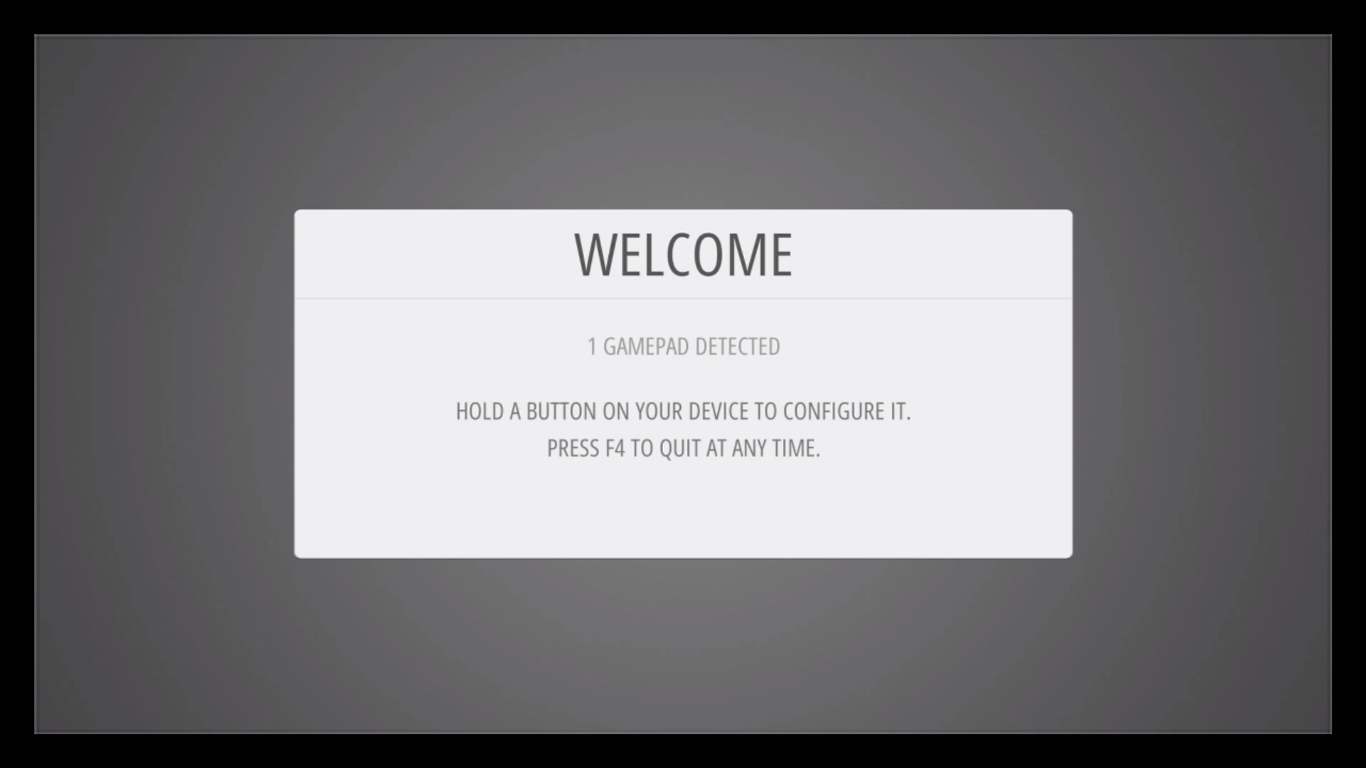
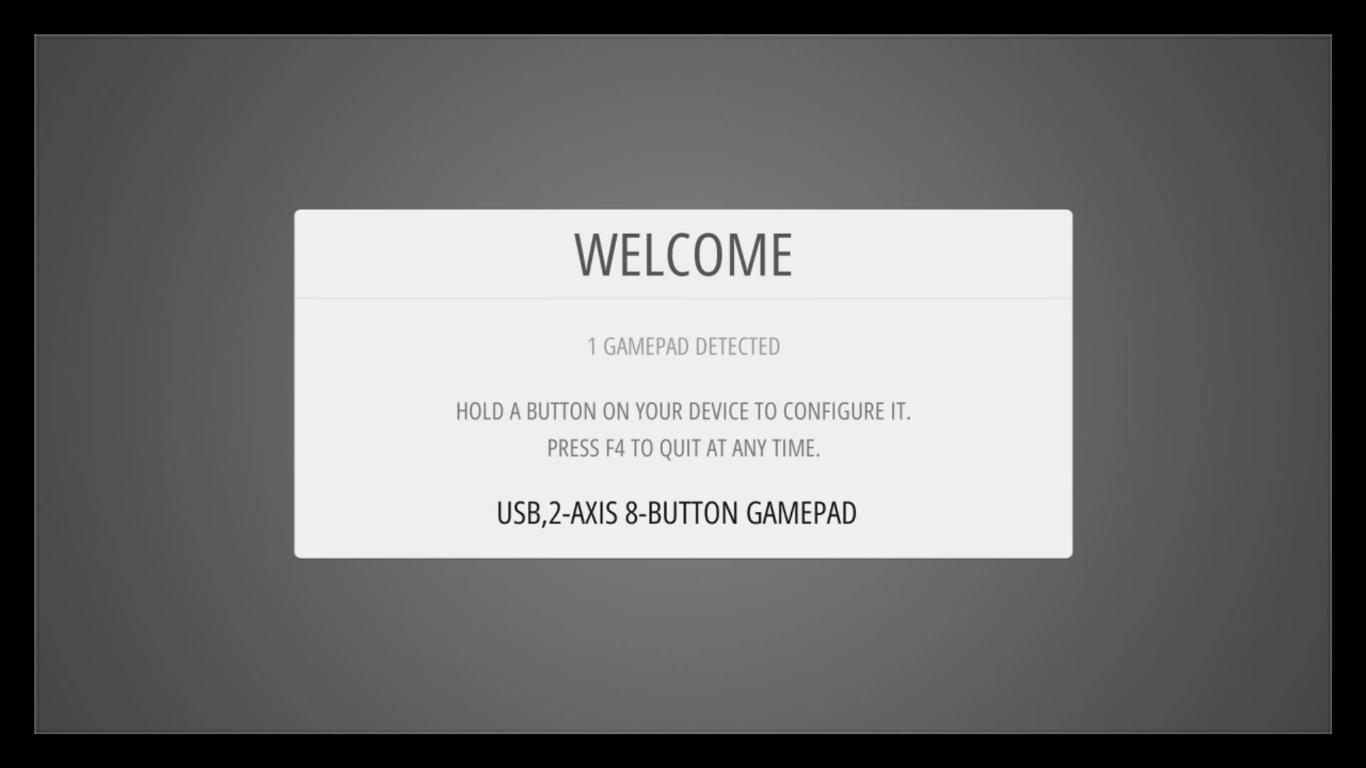
2. Hold down any button on your keyboard or gamepad and the name will appear at the bottom and then open up into a configuration menu:
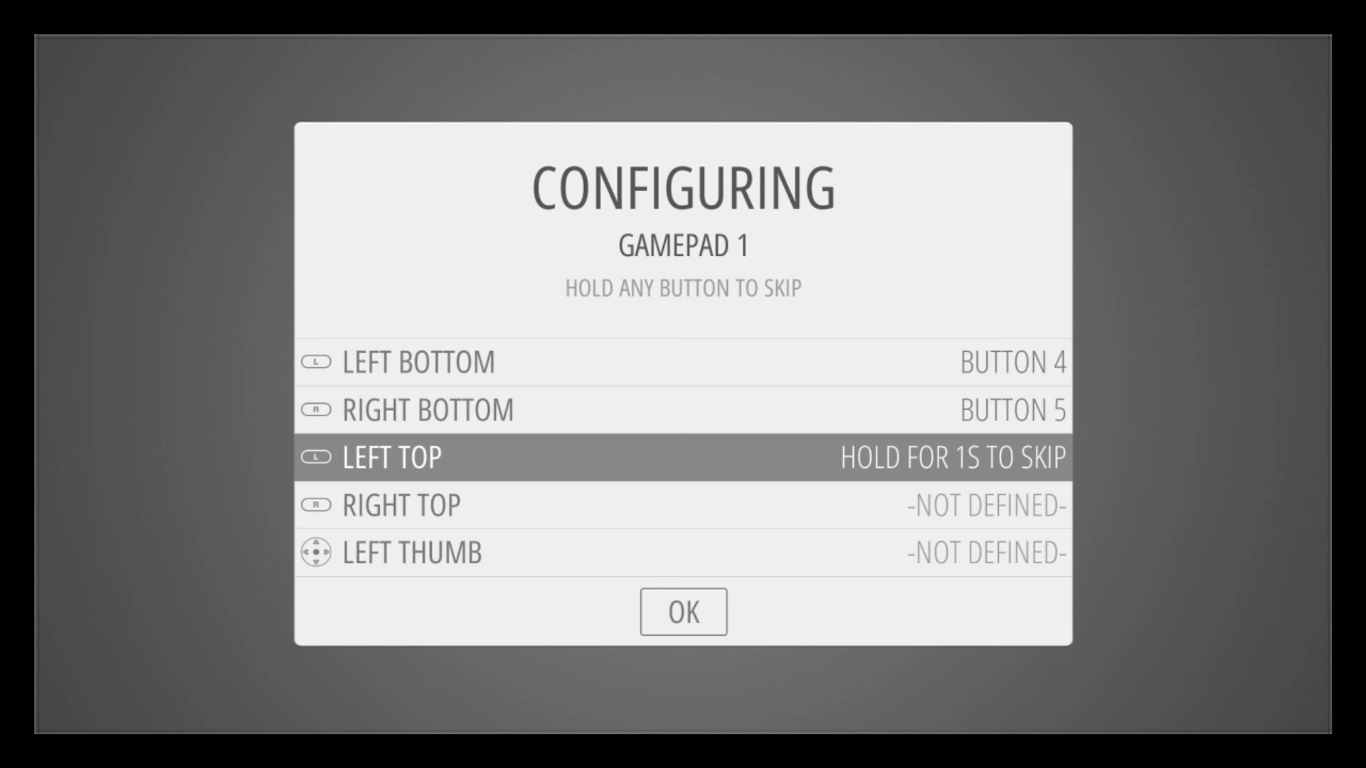
3. Follow the onscreen instructions to configure your gamepad- if you run out of buttons just hold down a button to skip each unused button. When you get to OK press the button you have configured as “A”.
If you wish to configure more than one controller, you can do so from the start menu of the emulation station. For more details on the manual controller, configurations see this page here.
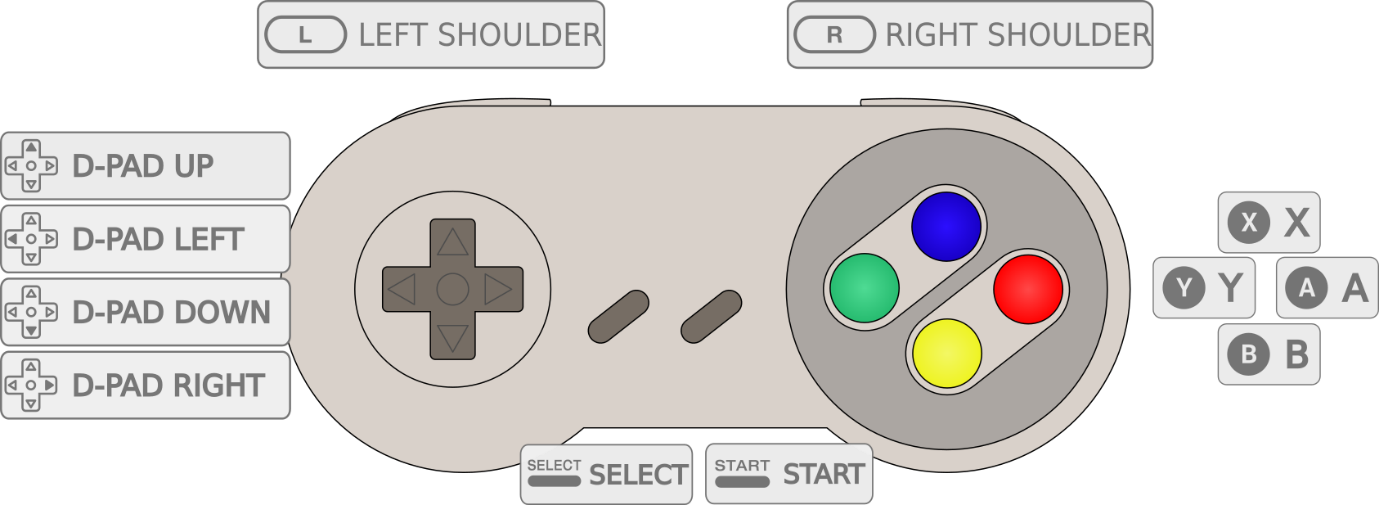
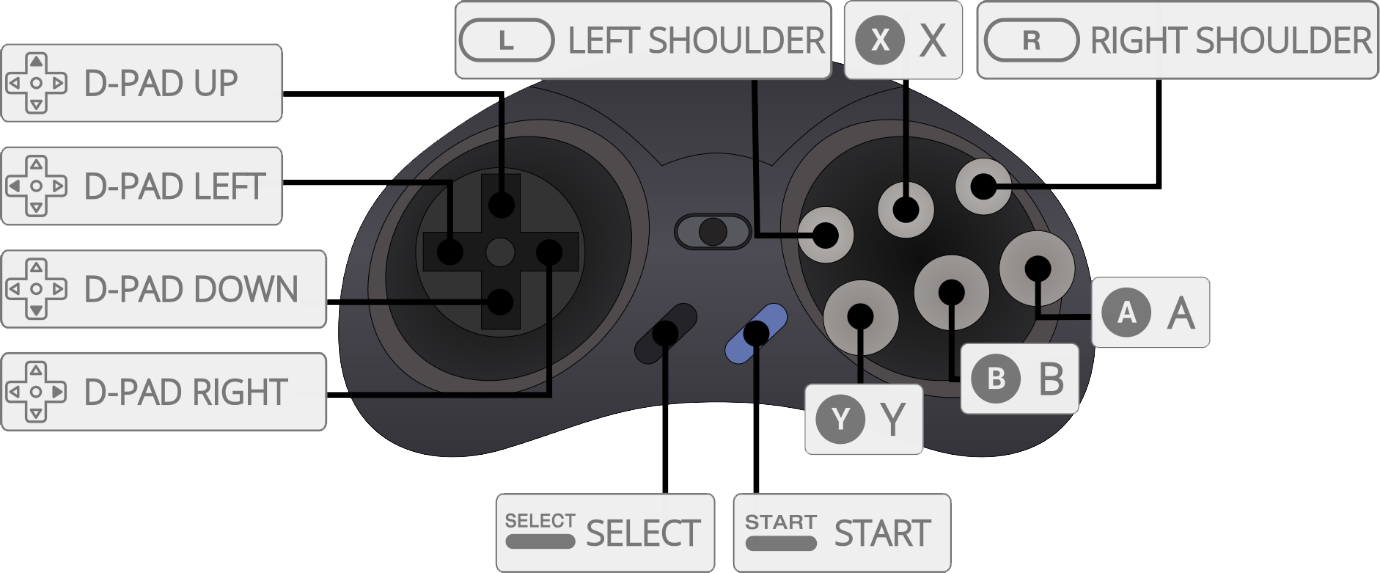
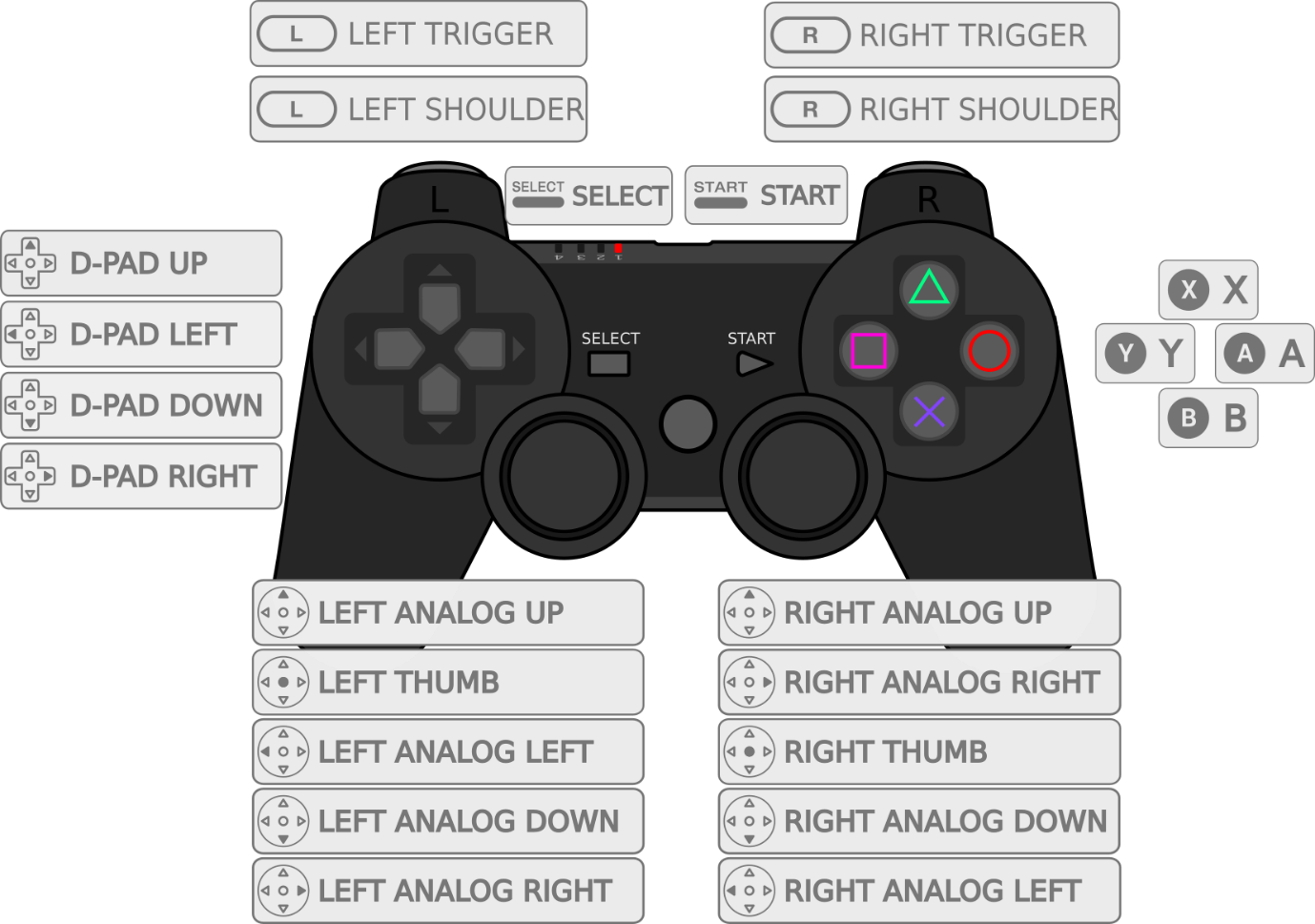
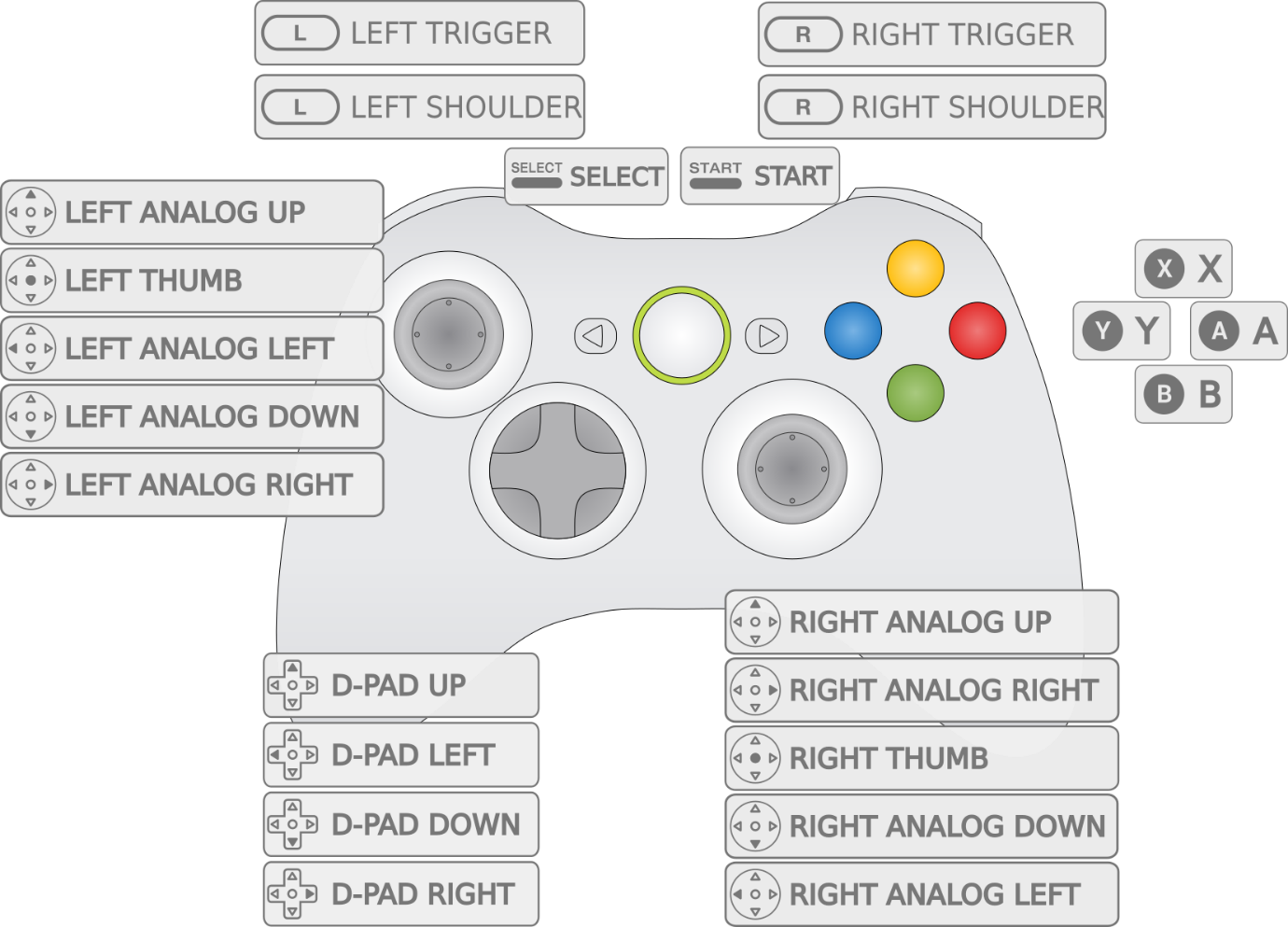
See the following diagrams for reference
SNES Controller
Megadrive/Genesis (6 Button)
PS3 Controller
XBox 360 Controller
Hotkey
The Hotkey button enables you to press it in combination with another button to access functions such as saving, loading, and exiting in emulators. It is suggested to use the Select button as the hotkey. Please refer to the table below to see the possible combinations when the hotkey is set.
Note: Hotkey combinations are specific to the retroarch/libretro based emulators. Visit this page for more information.
Hotkey Combination
Hotkey+Start
Hotkey+Right Shoulder
Hotkey+Left Shoulder
Hotkey+Right
Hotkey+Left
Hotkey+X
Hotkey+B
Action
Exit
Save
Load
Input State Slot Increase
Input State Slot Decrease
RGUI Menu
Reset